
BYOD security risks: Protect your meeting rooms
Discover a more secure way to meet
Bring Your Own Device (BYOD) has transformed the modern workplace. While this flexibility improves collaboration, it also introduces significant BYOD security risks. We’ve seen so many businesses underestimate the serious security risks, especially when personal devices are introduced to the company network. Just one weak link can compromise the entire operation.
Background image source: Magnific
Unmanaged personal devices can expose meeting rooms, corporate networks and confidential information to malware, unauthorised access and data breaches. Without the right security controls, a simple video conference can become an entry point for cyber threats.
In this guide, we explore the biggest BYOD security risks and explain how businesses can secure their meeting spaces without sacrificing collaboration. Modern BYOD programmes need layered controls such as strong authentication, device compliance, patching and clear policies rather than relying solely on traditional network security.
What are the biggest BYOD security risks?
- Unmanaged personal devices
- Outdated operating systems
- Malware and ransomware
- Unsecured Wi-Fi connections
- Weak authentication
- Data leakage during video meetings
- Shadow IT and unauthorised apps
Benefit from an enhanced level of security for all your meeting rooms
All AV devices connected to our powerful technology platform, AV Intellicore, automatically receive antivirus protection, firmware updates, and Windows patches. Keep all your AV/IT assets secure and updated, and running at peak performance.
The BYOD dilemma: convenience vs. security
Bring Your Own Device (BYOD) offers great flexibility by allowing users to connect their personal devices to initiate meetings across platforms like Zoom, Teams, or Google Meet. While this can seem convenient, it comes with significant trade-offs:
Pros:
- Start a meeting on any collaboration platform
- Users are comfortable with their own devices
- Lower operational costs
Cons:
- Security risks – personal devices are unmanaged and unmonitored. Many personal devices don’t have sufficient security, risking breaches.
- Malware - Mobile devices are vulnerable to malware. Many personal devices are poorly protected by the free versions of antivirus software or not at all.
- Network – Network ports can be left open, leaving them vulnerable.
- Content sharing - a personal device can become a gateway for attackers to access sensitive information.
- Inconsistent connectivity – users can struggle with different audio visual setups, particularly on older devices
- Cable clutter – USB, HDMI, cables, and adapters everywhere!
- Limited functionality – restricted content sharing, poor audio integration
- No guaranteed meeting quality – every meeting can be a gamble
A solution: Secure video conferencing and collaboration with tablets
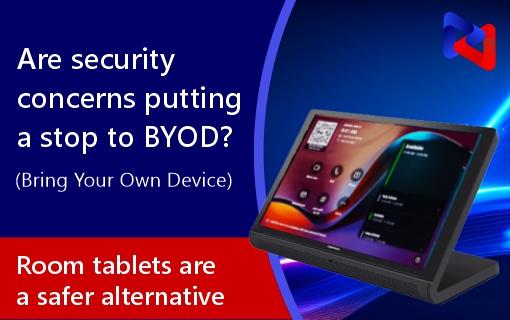
To combat these BYOD security risks, leading businesses are turning to dedicated room systems with secure conferencing tablets, hardware that's always meeting-ready at the touch of a button, platform-integrated, and centrally managed.
Using secure collaboration tablets allows users to join Microsoft Teams or Zoom meetings with a single touch, without connecting personal devices to the room system. The result is a simpler user experience, improved reliability and a more secure meeting environment.
Benefits:
Security-first architecture:
- Patch management
- Managed firmware updates
- Enforced antivirus protocols
- Role-based access control to room solutions
- Network segregation (AV VLAN)
Consistent & reliable
- Always meeting ready and connected to audio and video
- No reliance on user devices for core meeting functions
- No messy cables or last-minute setup issues
- Part of professionally managed and supported infrastructure
Improved collaboration
- Seamless integration with Zoom, Teams, Webex, Google Meet etc.
- Multiple content sources via wireless sharing (e.g. AirServer)
- Touch panel control for intuitive meeting management
Make the right choice: No more unsecured devices
The choice between BYOD and a dedicated video conferencing room solution should be a security-led decision, not one of convenience. Would you allow a guest laptop on your corporate finance network? Why should your audiovisual network or meeting room devices be any different?
Using unsecured personal devices in the workplace is like leaving your front door open – you don’t know who will walk in! However, a well-designed BYOD programme that supports productivity and security could be a compromise if it incorporates:
- Clear mobile device security policies
- Robust security technologies
- Employee security awareness training
- Network access control
- Additional data protection measures
Frequently Asked Questions about BYOD security risks
What are BYOD security risks?
BYOD (Bring Your Own Device) security risks are the potential cyber security threats introduced when personal laptops, smartphones or tablets access company networks and systems. These risks include malware infections, unauthorised access, data breaches, lost or stolen devices, outdated software and unsecured network connections.
Is BYOD safe for businesses?
Yes, BYOD can be safe for businesses when supported by a robust security strategy. Combining these measures with proactive endpoint monitoring and user awareness training helps organisations enjoy the flexibility of BYOD while minimising security risks.
Is does BYOD increase cyber security risks?
BYOD can increase cyber security risks if personal devices are not properly managed. Employees may connect devices with outdated software, weak passwords or unapproved applications, creating additional attack paths for cyber criminals.
Can video conferencing systems be hacked through BYOD?
Yes. If an infected or unsecured personal device connects to a meeting room system or corporate network, it may introduce malware, expose sensitive meeting content or provide attackers with unauthorised access to business systems.
How to reduce BYOD security risks
- Multi-factor authentication
- Network segmentation
- Endpoint monitoring
- Automated patch management
- Device health monitoring
- Secure guest networks
- Remote support
- User awareness training
Protect your business with real-time monitoring and proactive maintenance
Can your business afford security breaches and downtime? With real-time monitoring and proactive issue resolution, our audiovisual / IT support and maintenance service ensures all your devices stay connected, updated, secure and operational 24-7.
Copyright © 2026 Display Manager. All Rights Reserved.